Digital displays have become an essential tool for businesses, offering dynamic content that attracts attention, enhances brand presence, and communicates information effectively. However, despite their advantages, digital displays are not immune to technical issues. Understanding common technical problems with digital displays and how to resolve them is crucial to maintaining optimal performance and preventing costly downtime. Proactively addressing potential problems not only reduces disruptions but also improves customer experience and strengthens brand credibility.
Understanding the Nature of Digital Display Issues
Before diving into troubleshooting, it’s important to recognize the types of technical problems that can occur. Most issues fall into three categories: hardware, software, and connectivity. Hardware problems may include dead pixels, faulty backlighting, or display panel failures. Software issues often involve content management system (CMS) glitches, incompatible media files, or operating system crashes. Connectivity problems can include Wi-Fi or network interruptions, leading to delayed or incomplete content updates.
For businesses, choosing the right digital signage display initially can prevent many of these issues. Selecting high-quality, commercial-grade hardware minimizes the risk of premature failures and ensures smoother operation. Investing time in selecting the correct display for the intended environment can save both money and frustration in the long term.
Common Hardware Problems and Solutions

Dead or Stuck Pixels
One of the most frequent complaints with digital displays is dead or stuck pixels. These occur when individual subpixels fail to illuminate correctly, resulting in black or discolored spots on the screen. Minor dead pixels may not affect overall performance, but larger clusters can distract viewers and diminish content quality. Regularly inspecting screens during routine maintenance can help detect early pixel issues before they affect critical campaigns.
Solution: Many manufacturers offer pixel warranties, so check coverage before purchase. Software-based pixel refresh tools can sometimes reactivate stuck pixels. In severe cases, panel replacement may be required. Incorporating a preventive pixel check during initial installation reduces future disruptions.
Backlight Failures
Backlight issues are another common hardware problem, especially in LCD displays. Symptoms include uneven brightness, flickering, or a completely dark screen. Using displays in high-traffic areas can exacerbate wear on the backlight over time.
Solution: Ensure proper ventilation to prevent overheating, and perform regular maintenance. If the backlight fails, professional repair or replacement is usually necessary. Upgrading to newer display technologies can also mitigate frequent backlight issues.
Overheating and Power Issues
Overheating can lead to unexpected shutdowns or permanent damage. Excessive heat is often caused by poor ventilation, high ambient temperatures, or continuous 24/7 operation. Overheating not only reduces the lifespan of components but can also affect color accuracy and performance consistency.
Solution: Install displays in well-ventilated areas, avoid direct sunlight, and use commercial-grade displays designed for continuous operation. Power conditioning devices can help protect against voltage fluctuations. Additionally, implementing automatic shutdown protocols during extreme temperatures can prevent permanent damage.
Software-Related Issues
CMS Glitches and Crashes
The content management system (CMS) is the backbone of digital signage. Software crashes, freezing, or delayed content updates are common problems that frustrate operators and reduce audience engagement. In large networks with multiple displays, even minor CMS issues can compound quickly, affecting entire campaigns.
Solution: Keep your CMS and firmware updated, use reliable media formats, and perform regular backups. For complex networks, consider remote monitoring tools to detect and fix issues proactively. Regular staff training on CMS operations ensures minor issues are identified and corrected quickly.
Operating System Compatibility
Operating system conflicts can cause erratic behavior or prevent certain applications from running. Professionals often debate Tizen vs webOS vs BrightSign, as different systems have unique advantages and limitations. Ensuring your display and CMS are compatible with the operating system reduces the risk of software-related downtime. Compatibility issues are often overlooked during procurement but can be costly if not addressed in advance.
Media File Corruption
Corrupted images, videos, or animations can prevent content from displaying properly. File corruption often occurs during transfers, formatting, or compression, and can affect scheduled campaigns, leading to missed marketing opportunities.
Solution: Always use high-quality media formats, test files before deployment, and maintain backups on cloud or local servers. Scheduling regular media audits can prevent corruption from spreading across multiple displays.
Connectivity Problems
Network Interruptions
Digital displays rely heavily on network connections for content updates. Interrupted or weak connections can delay content, display error messages, or cause playback to stop. Prolonged network issues can frustrate customers and harm brand perception.
Solution: Use wired connections where possible for stability, configure failover options, and monitor network performance to detect bottlenecks early. Network redundancy ensures continuous operation even during temporary outages.
Wireless Interference
For displays using Wi-Fi, interference from nearby devices or crowded frequencies can reduce reliability. High-density environments, such as shopping malls or airports, often exacerbate these issues.
Solution: Optimize router placement, switch to less crowded channels, or use enterprise-grade wireless solutions. Conducting a wireless site survey prior to deployment helps identify potential interference sources.
Installation and Environmental Issues
Incorrect Mounting or Placement
Improper installation can cause stress on panels, wiring issues, or reduced visibility. Environmental factors like sunlight glare or humidity can exacerbate technical problems. Installing displays too close to heat sources or in areas with heavy foot traffic can also shorten lifespan.
Solution: Plan the installation carefully, consider screen height, viewing angles, and ambient light conditions. Including protective enclosures or anti-glare coatings can further improve durability and visibility.
LED Video Wall Considerations
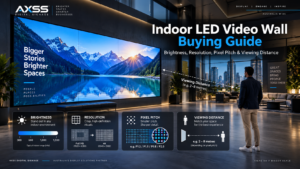
For larger displays, choosing the right pixel pitch for LED video walls is critical. Incorrect pixel pitch can cause blurred images or excessive strain on the hardware, leading to long-term failures. Proper planning during installation minimizes these risks. Proper calibration of color and brightness across panels ensures a seamless viewing experience.
Advanced Display Technology Considerations
MiniLED vs OLED
Selecting the right display technology can prevent recurring technical problems. MiniLED vs OLED is a common debate: MiniLED offers high brightness and longevity, while OLED provides superior contrast but may experience burn-in over time. Understanding these trade-offs helps prevent future issues. Choosing the appropriate technology based on viewing environment and content type is key to long-term reliability.
Micro-Level Hardware Innovations
Newer technologies like Micro LED and advanced cooling systems reduce the likelihood of common display failures. Investing in cutting-edge solutions ensures reliability and longer lifespan. These innovations also allow for higher resolutions and modular scalability, which is particularly useful for large-scale or interactive installations.
Preventive Maintenance Tips
-
Schedule regular hardware inspections to detect issues early.
-
Update software and firmware periodically to avoid glitches.
-
Use surge protectors and UPS systems to prevent power-related failures.
-
Keep displays clean and dust-free to maintain performance.
-
Train staff to identify minor issues before they escalate.
-
Conduct seasonal audits to check for environmental damage or wear.
-
Document all maintenance procedures to streamline troubleshooting in the future.
Expert Recommendations
-
Conduct thorough site surveys before installation.
-
Use high-quality, commercial-grade displays.
-
Monitor system performance remotely to catch problems proactively.
-
Maintain proper documentation of troubleshooting procedures.
-
Evaluate your CMS and OS compatibility, particularly when choosing between Tizen vs webOS vs BrightSign solutions.
-
Implement a proactive replacement schedule for critical components prone to wear.
-
Educate staff on best practices for content creation, file management, and daily operation.
By following these expert tips, businesses can minimize downtime, enhance content delivery, and ensure digital displays remain a reliable communication tool. Proper planning, investment in quality technology, and a structured maintenance routine significantly reduce the impact of common technical problems with digital displays.
Conclusion
Addressing common technical problems with digital displays requires a combination of proper hardware selection, software management, and preventive maintenance. From dead pixels and backlight failures to CMS glitches and network interruptions, every challenge has a solution when approached proactively. Incorporating expert advice, careful planning, and advanced technologies such as MiniLED vs OLED and pixel-optimized LED video walls ensures your digital displays operate efficiently, attract attention, and provide long-term value. Businesses that invest in both high-quality hardware and staff training are better positioned to maintain uninterrupted service, improve viewer experience, and maximize return on investment.